WoW Forever runs on a much newer engine than Classic, with new lighting, fog and water. It looks great, but on the max preset it can eat your FPS. These are the settings I use: the game looks almost the same and runs more than twice as fast.
Playing retail? Use our best WoW settings guide for Midnight instead.
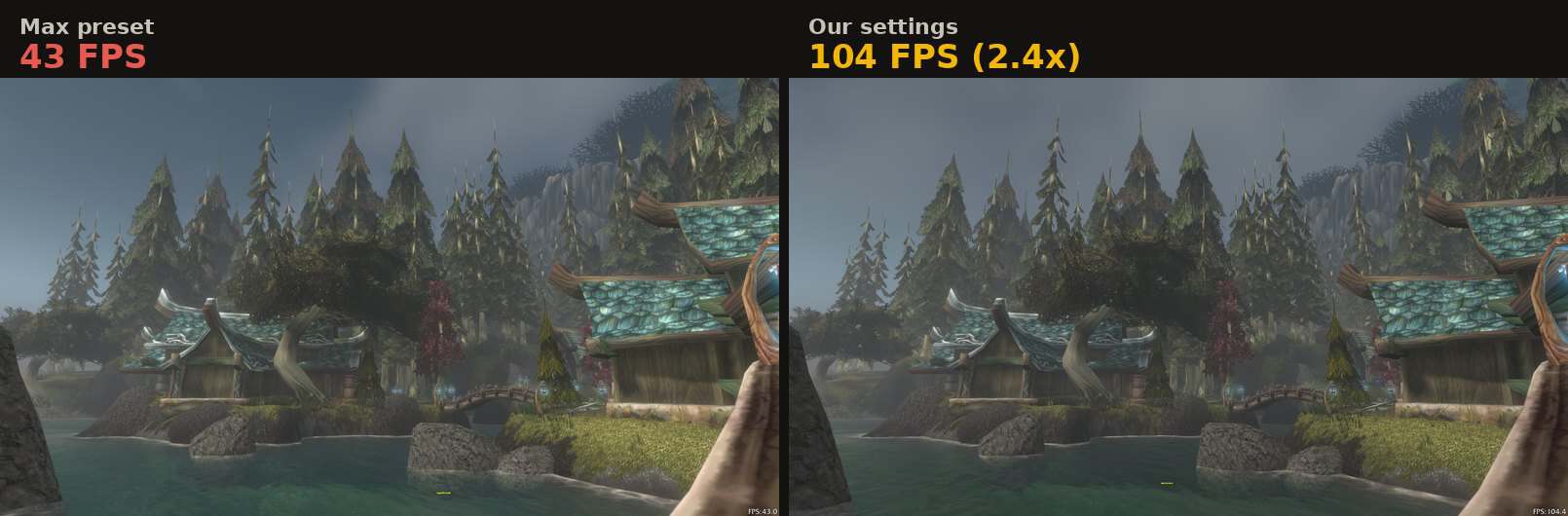
The 5 changes that matter most
- Secondary Lighting: Good. The single biggest FPS cost on Ultra.
- Compute Effects: Good. Ultra fog costs a huge amount for very little.
- Shadow Quality: Good.
- Target FPS off and Vertical Sync off, with Max Foreground FPS as your cap.
- Spell Density: Essential.
1. Display settings
Press Esc → Options → Graphics. The top of the menu should look like this:
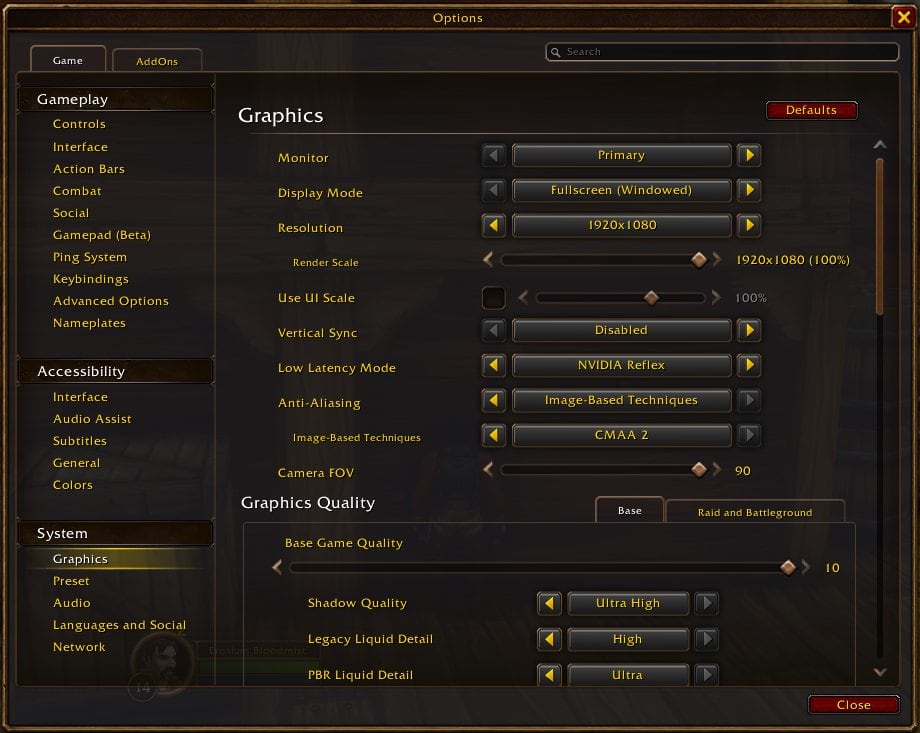
- Display Mode: Fullscreen (Windowed)
- Render Scale: 100% (drop to 90% only if you still need FPS, it gets blurry fast)
- Vertical Sync: Disabled
- Low Latency Mode: NVIDIA Reflex (Auto Detect on other cards)
- Anti-Aliasing: Image-Based Techniques → CMAA 2
2. Graphics quality
Scroll down to Graphics Quality and set each option by hand:
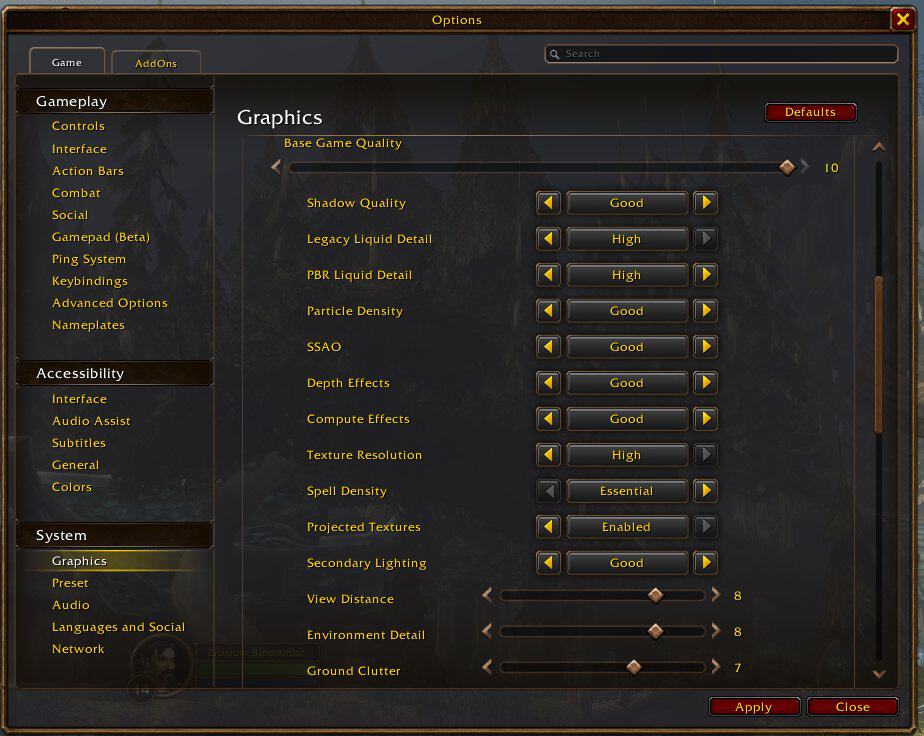
| Setting | Set to | Why |
|---|---|---|
| Shadow Quality | Good | Ultra High costs 10 to 25 FPS for a tiny difference |
| Legacy Liquid Detail | High | Cheap |
| PBR Liquid Detail | High | The new water is cheap, High looks great |
| Particle Density | Good | Keeps spell effects readable |
| SSAO | Good | Off makes buildings look flat |
| Depth Effects | Good | |
| Compute Effects | Good | The new fog. Ultra costs up to 40 to 50 FPS |
| Texture Resolution | High | Uses video memory, not FPS |
| Spell Density | Essential | Less clutter in groups |
| Projected Textures | Enabled | Never turn off: shows ground effects |
| Secondary Lighting | Good | The heaviest setting in the game on Ultra |
| View Distance | 8 | The fog hides far objects, so it is cheap |
| Environment Detail | 8 | |
| Ground Clutter | 7 | Grass costs more than you would think |
Raids and battlegrounds: click the Raid and Battleground tab, tick the box next to Raid Graphics Quality, and drop Shadows to Low, Secondary Lighting to Fair and Compute Effects to Low.
Why WoW Forever is heavier than Classic

Forever adds three new systems: lighting, fog and water. Lighting (Secondary Lighting, Shadows) and fog (Compute Effects) are the expensive ones; water costs almost nothing. That is why those three settings make the biggest difference.
3. Advanced settings
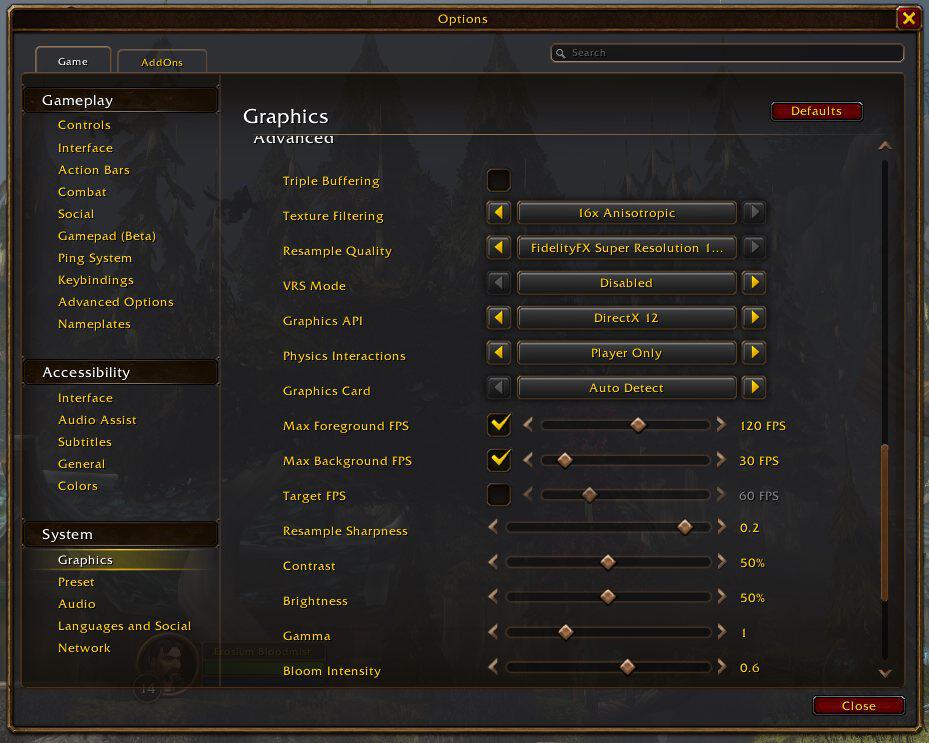
- Triple Buffering: off
- Texture Filtering: 16x Anisotropic
- Graphics API: DirectX 12 (DirectX 11 only if you crash)
- Max Foreground FPS: on, set to your monitor’s refresh rate
- Max Background FPS: on, 30
- Target FPS: off. It lowers your graphics on the fly and makes the picture jump around.
- Bloom Intensity: about 0.6. The default washes out bright zones like the Barrens.
- Compatibility Settings (at the very bottom): leave them all ticked.
4. HD or SD character models?
Go to Options → System → Preset. Here you can switch the whole game between the Classic and Enhanced presets, and pick High Definition or Standard character models. Testing shows no measurable FPS difference between HD and SD, so pick whichever you like the look of.
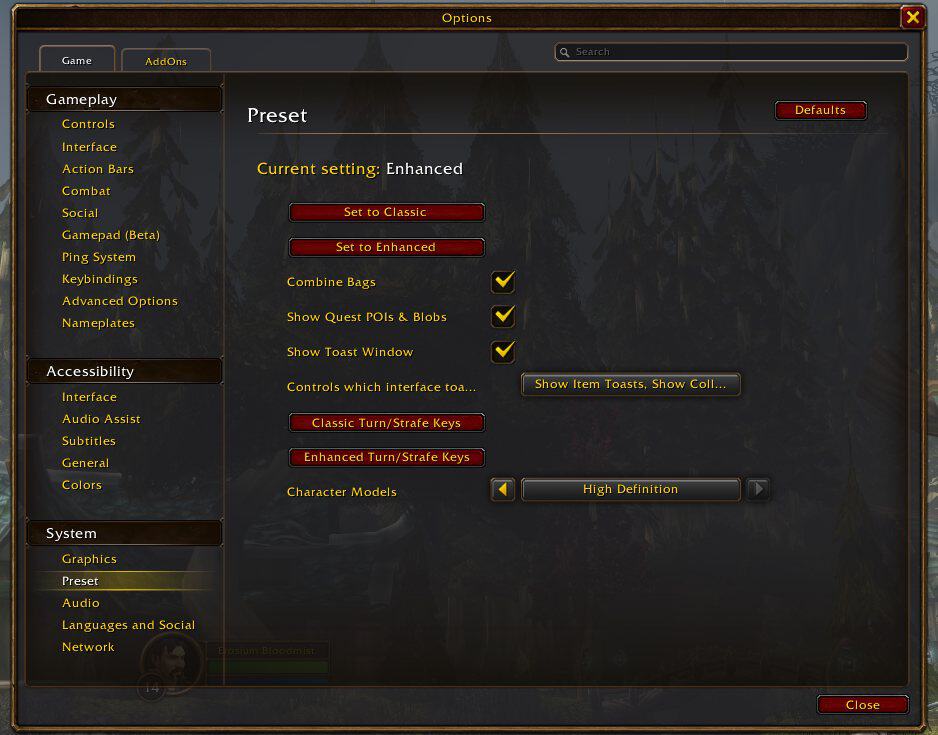
5. Thicker grass (console command)
Type /console groundEffectDensity 64 into chat for fuller grass and flowers, with almost no FPS cost. Set the Ground Clutter slider first, because moving it later overwrites the command. To undo it, type /console groundEffectDensity 48.

Still low FPS?
- Lower in this order: Secondary Lighting and Compute Effects to Fair, then Render Scale in 10% steps, then Shadows.
- Press Ctrl+R. If the counter says CPU Bound, Render Scale will not help: lower View Distance and Shadows instead.
- Hide friendly nameplates in capital cities with Shift+V. They can cost 40 to 50 FPS there.
- Delete the Cache folder: close the game, open your WoW Forever game folder and delete
Cache(never WTF). Several players went from around 30 FPS to their full refresh rate. - Low-end PC or laptop: Secondary Lighting and Compute Effects on Fair, Shadows Low, Render Scale 80 to 90% and a 60 FPS cap.
Frequently asked questions
What are the best WoW Forever settings for FPS?
Secondary Lighting, Compute Effects and Shadow Quality on Good, Spell Density Essential, View Distance 8, Ground Clutter 7, Vertical Sync and Target FPS off. In our test that took Auberdine from 43 to 104 FPS.
Which setting costs the most FPS in WoW Forever?
Secondary Lighting, followed by Compute Effects (the fog). Dropping them from Ultra to Good gives back the most FPS for the least visual change.
Do HD character models lower FPS?
No measurable difference in testing. Switch between HD and SD in Options → System → Preset.
Make more gold in WoW Forever
The WoW Forever Ultimate Gold Guide has 30+ step-by-step strategies from level 1 to 60, farming routes on real in-game maps and live auction house prices built in. Buy once, updated for the life of WoW Forever.
 FREE
 MEMBERS
 FREE
 FREE



Leave a Reply
You must be logged in to post a comment.